
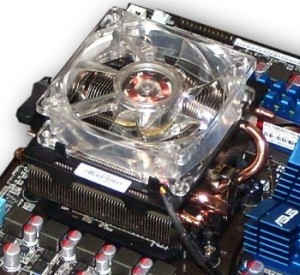
In every system with a high performance CPU we use Heat Pipe coolers for best case thermal to performance ratio. Coolers such as the AMD, Asus or Zalman low profile 4 heatpipe cooler (shown here) produce 20c drop in full load temperatures and easily fits into the half height or other full size cases. These coolers produce excellent cooling with little noise and great long life. Benefits included:
- Much better thermal conductance & full load temps compared to stock cooler
- Quiet operation
- Very Long Life, Dual Ball Bearing fan
- 4 Copper Heatpipes and copper transfer plate
- Cool looking
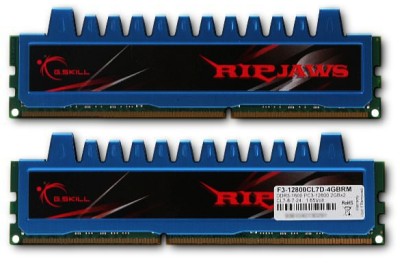
One of the most misunderstood aspects of computing is memory choice. Rarely do Big names equip systems with optimal memory configurations and some even equip systems with combinations that loose 30% of the system’s possible performance. In all new systems matched Pairs or Treos (depending on design) are absolutely mandatory. Memory frequency and low clock latency are also very important. This system uses the new DDR3 class memory in a Dual Bank configuration so that 2 or 4 matched DIMMs (memory sticks shown on the right) are required. Next, low latency is expressed as CAS or CL rating and is a reference basically to the number of clock cycles between Data packets held and released through the DIMMs. The frequency is also difficult because the M4A785 series motherboards can support 1066, 1333 and 1600 MHz which in truth is actually only half of these. So two 533MHz DIMMs are expressed as 1066 and so on. To make things more confusing, the higher the frequency, the higher the latency. So I am suggesting we use the low CL7 (7 clock cycles) latency DIMMs as opposed to CL9 rated DIMMs. Though most 1600 pairs are rated CL9, the faster 2 clock cycle less CL7 DIMMs are worth the small extra cost. Good investment towards cost to performance ratio and overall ROI.
Advantages to this G-Skill F3 DDR3 1600 memory configuration are:
- 2 matched 2GB DIMMs for a total of 4GBs, ideal for Windows 7-64bit during heavy use
- 1600MHz with tight latency of CL7 for exceptional cost to speed ratio
- Lifetime warranty which really translates to about 5-8 years useful lifespan
- improved integrated Video performance due to great memory bus performance
- aluminum jacketed DIMMs for optimal memory chip temps even overclocked
- low cost to density to performance ratio
- Produces nearly 30% improvement in performance over low cost 1066 DIMMs
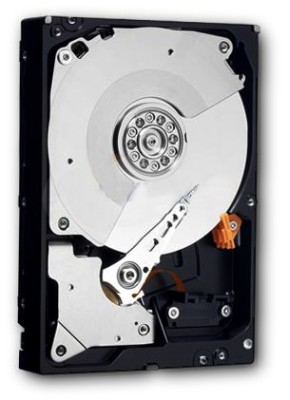
Hard Drives are an important aspect and also quite misunderstood as well. Hard Drives come in several varieties. Big Player high volume units such as those in Dell, HP & Gateway systems (slowest), Consumer grade (retail box, so so, depends), File Server grade (best cost to performance to toughness ratio), Enterprise class File Server (Fastest, Toughest & most expensive), SSD (Solid State Drive) is another category of storage but to expensive and troubled for our purposes . I most often recommend Western Digital “Black” AALS/FALS/FASS drives which are File Server Grade with the following benefits:
- 32MB of I/O cache (on faster systems with Win7, a nice performance advantage is experienced)
- 7200rpm Spindle Speed (minimum performance standard)
- 640-1500GB of fast solid storage (in this case)
- File Server grade for higher MTBF rating (Meantime between Failure, i.e. longer expected life span)
- full 5 year warranties on this class of drive form WD or Seagate
- good cost to performance to warranty ratio (ranging $80-$109)
- We use 2 of these, both in the system operating at best system I/O performance
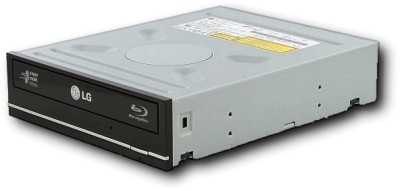
Most systems just come with basic DVD optical drives with some burning capability but I like to use Pioneer & LG DVD burners due to above average compatibility, long expected life span with the following benefits:
- 4.7GB and 8.1GB DVD & DL 20x Burning capability / 12x Rewritable 4.7GB burning
- Full DVD / DVD-DL / CD / burning capabilities
- Low cost to functionality ratio (only a 1 year warranty though)
- really nice to have 8GB of space to burn your data to w/DL media!
Where to begin on this OS?!
Windows 7 - 64bit Professional would be my choice with Ultimate being second with the more feature rich features for $175 or so for the OEM version vs. $140 for Professional. Windows 7 is such a joy to use once you get used to it. Under the hood Windows 7 sports an entirely new DNA denoted only slightly by very elegant user interface. Some very cool aspects are:
- Simple, Striking and Focused interface designed by Microsoft and part by me (the Mac-ish like launch system shown above from an actual Win7-64 Professional system)
- New DNA that hugely improves Security, Stability and Performance
- Amazing compatibility; most older Windows Software will work
- Windows Live update (in most cases instant driver installs without any disk required) and so much more, significantly reduces bulk in the OS...
- Faster Boot and Shutdown times
- Much More efficient management of power with new hardware (lowers energy costs)
- Every program looks and works better in Win7 the any previous OS
- Data Management System made possible by MS and designed by me...
- Easy, Solid, Fast multi-Program, multi-task, multi-threading...
- Same cost as old Windows XP Pro but so much better!
Basic Windows 7 Professional 64 system Spec.
The following specification represents the best dollar value in computing if you consider speed, longevity and warranty to be primary parts of ROI on a business workstation.
The Used / professional grade system specification below contains the very best components in class and is only about $150 more then using lowend, lower performance, 1 year warranty components.

The below total includes all Used hardware at Tradein cost but not including build and optimal configuration cost called “ExecClassConfig” which is simply a very complete system configuration that includes every aspect of this professional grade system fully installed, optimally configured and fully tested.
- Total Hardware (New: including Shipping: $950.00) Used Tradein value = $700.00
- Buildout Cost including assembly and full OS & core app. installations with drivers = $300.00
Total System Hardware & Build Cost: $1000.00
Onsite delivery, setup, special application installs, Data migration, system training = approx $300 - $375
Note: Keep in mind this also includes a 640GB “Black” File Server grade hard drive and a 1.5TB “Black” File Server grade BU drive that will also be used as the Video Surveillance Data Storage drive. There is at least 2 years of full replacement warranty remaining on core hardware (CPU, motherboard, PSU), Memory is Lifetime warranty and Hard Drives will be brand new with 5 year warranties, optical drive has 1 year as do the MS wireless Keyboard & optical mouse

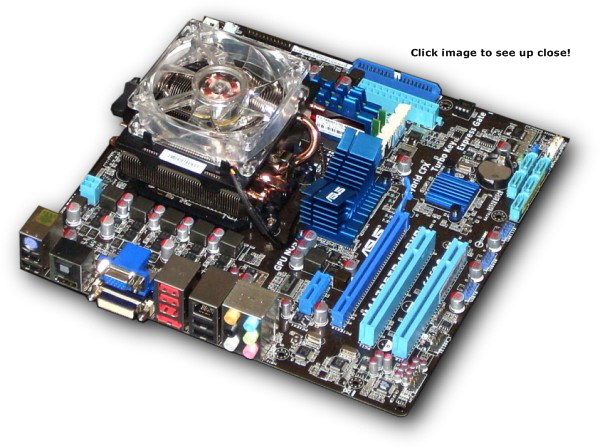
The Asus M4A785TD-M EVO mATX motherboard is a very nice example of Asus’ professional class line of motherboards. The motherboard is the heart of a computer system and the CPU the mind if you will. What sets this board apart from most every other make and model are the following:
- Best cost to performance & toughness ratio
- Solid Core Capacitors throughout board (very tough)
- Very Powerful yet energy efficient
- Huge upgrade path for CPUs with “Buy Back” plan*
- Very strong integrated Video controller (2D & 3D)
- 3 year, full replacement warranty from Asus
- Exceptional tuning & optimization in Bios
- Integrated multi-display & HDMI
- Exceptional integrated HD Audio
- Completely Safe Overclocking for all AMD AM3 CPUs
- Excellent Core Chipset Cooling with proper case
- Good Workgroup File Server core (Raid 1 or 10)
- Ability to unlock x2 CPU to Quad Core!
*I Buy Back working components when time to upgrade
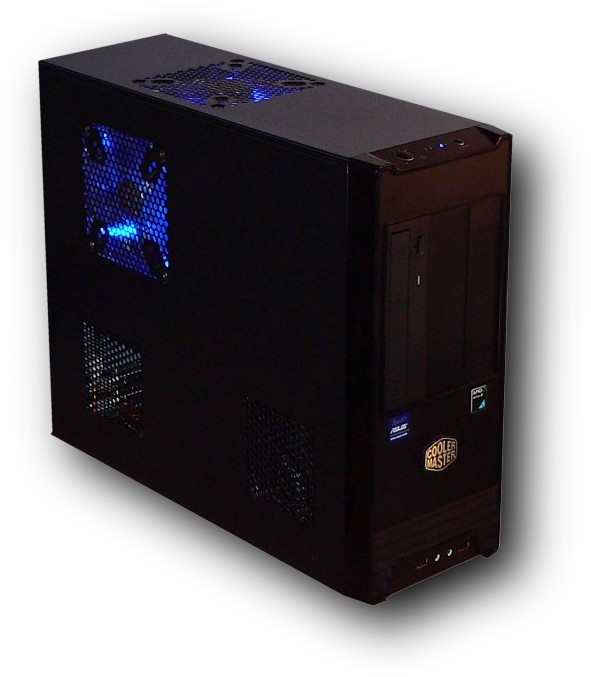
There so many cases to choose from with even more PSU (Power Supply) choices for any given system.
I have always utilized case/PSU combinations appropriate to the user but always of the highest quality possible. The main two things a case must have are good to great air flow and a good PSU. Due to the need to be space efficient, reliable and attractive, this case is excellent choice:
- Ideal air flow with the proper choice of a pair of 120mm ball bearing fans
- Room enough for Heatpipe CPU HSF (Heatsink / Fan combo)
- Mixed with a nice 600watt PSU, very stable, long life.
- great cost to performance to longevity ratio*
- Reasonable small foot print with stabilizing feet
- Basic upgradability including CPU, Memory, Motherboard, HD and Video controller
- Very long expected lifespan, low cost to replace
- Low Dust buildup due to air velocity through case
Things to consider with this type of case:
- *MUST be plugged into a quality Surge Suppression power strip or UPS
- **Must be in a well ventilated area or in a cubby with open back & front
- Slightly noisier due to effective fan arrangement.
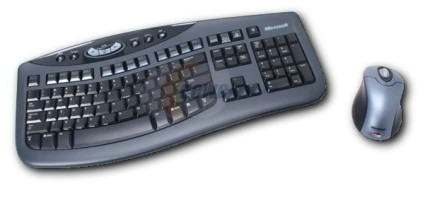
There are so many keyboard and mouse combos we could choose or recommend but Microsoft’s OEM Wireless Laser Desktop 3000 is probably the most elegant and comfortable with ambidextrous mouse. Benefits are:
- very gentle touch keys (really saves your fingers once you get used to it)
- thin elegant design with a very slight ergonomic curve, very likable!
- Fluid resistance and washable (be sure to allow a few days to dry...)
- cost to performance to looks ratio is pretty good
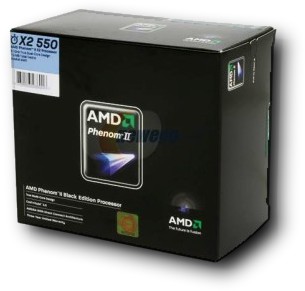
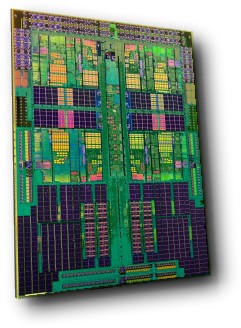
The AMD Phenom II x2 550 Black Edition Dual Core CPU is currently one of the best price to performance ratio CPU’s available. The “Black” denotation indicates that this CPU is unlocked allowing the end user to safely optimize within the thermal confines of the CPU cooler and air flow of the case as well as the environment the PC will be located in. Obviously if the unit is in an enclosed desk it will run much hotter then if it is located in a well ventilated area. We provide safe optimizations, pretested. Advantages to this CPU are:
- This CPU / Motherboard combo is $100 less then the Intel combo of the the same performance class
- Great price to performance ratio for around $100
- 3 levels of CPU cache for a total of 7MB
- 45nm die size for excellent thermal to power ratio
- combined with M4A785 = great energy efficiency
- 3 year full replacement warranty from AMD
- M4A785 unlocks 2 additional CPU core for free!