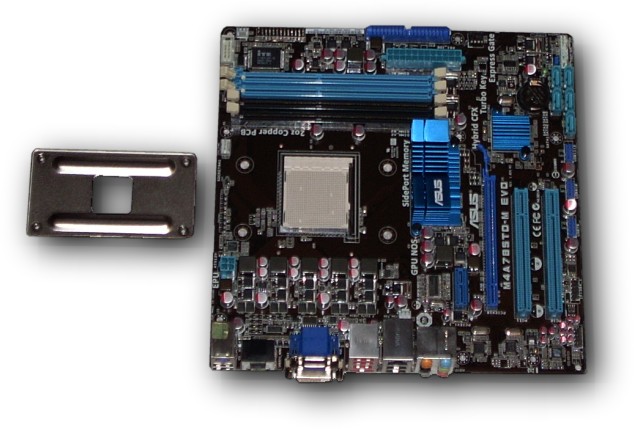


We start with the bare board, using the supplied Asus CPU back plate which is quite rigid compared to the common plastic plates on other brands of motherboards.
AMD really has the better design over Intel which does not use a back plate on the 775 socket based systems. Some aftermarket coolers do come with back plates though to help offset this.
Though the CoolerMaster Gemini Cooler does come with a back plate, the stock Asus unit is our choice and is what we are using in the EE Knight system.
Note the nice big Heatsinks on the North & Southbridge chips. These are great in a well ventilated case such as our CoolerMaster Centurion 590 which is the best ventilated case in it’s class.
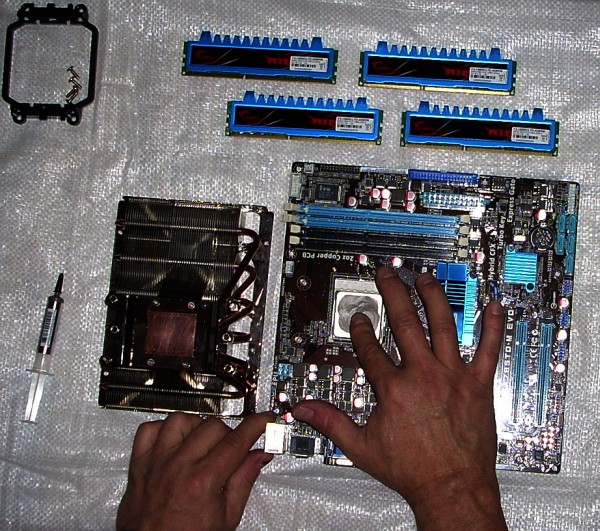
After carefully mounting the CPU in socket with pressure while securing the socket clamp, we apply the latest Arctic Silver 5 Polysynthetic Silver thermal compound to the CPU surface with a clean finger tip, applying pressure in a circular motion so as to spread the compound evenly in a thin film fully across the CPU surface.
The fact is all volume production contact surfaces have irregularities and pores that require a good thermal conductive paste. Arctic Silver 5 is simply the best when applied properly.
We also do the exact same thing to the surface of the Heatsink for the same reason. Keep in mind the film of thermal compound is very thin on both surfaces so we do take caution not to put too much. Too much can be bad...
Basically we want all contact surfaces to have contact via the thermal paste medium for maximum “wicking” of heat away from the CPU, into the Heatsink.
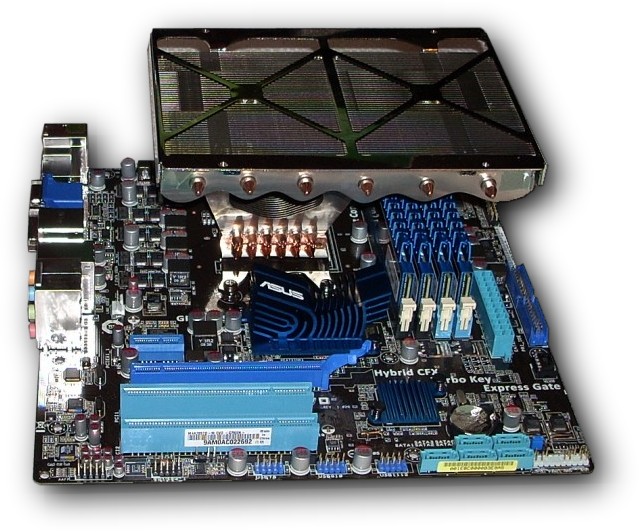
Once mounted properly, the CoolerMaster Gemini II is very solid.
While many know this cooler to have been around for a while, it still is really a good choice in a case like CoolerMaster’s Centurion 590 & 690 where there is so much air flow in the CPU area that fans are not required directly mounted on the cooler.
In fact the CoolerMaster Gemini II can actually have two 120mm fans mounted to it’s top surface. The massive fin density and spread on this cooler make it particularly good for this specific application as what some would call a passive cooler arrangement.
As you can also see, the even spacing of six heatpipes across the finning is quite optimal as there is more finning to catch cool circulating air per heatpipe length then most any cooler ever made.
Like Valentine’s PPD, this cooler may be a bit older and perhaps a bit bulky looking but it sure does the job up nice...

When looking at the port side of the cooler you can see that it’s substantial height is perfect to be certain that memory and chipset coolers as fully cleared.
In our full throttle tests of this class of system we have found that both chipset and CPU temperatures are consistently low when mounted in the CoolerMaster Centurion 590 with 5 properly tuned rheostat equipped, double ball bearing fans and one low rpm 120mm fan up front.
It’s clear from our tests that the height of the cooler seems to allow great air flow across the hotter sections of the motherboard resulting lower temperatures which results in greater stability and longer life, even overclocked to a gentle but substantial degree.
Even with large, high performance video cards such as ATI’s new 5000 series controllers, temps remain at very reasonable levels.
More to come, check back shortly!
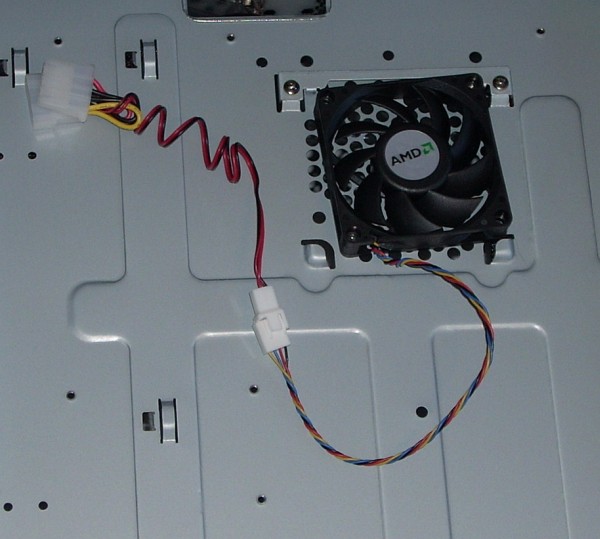
For efficiency sake and because we will not be using the stock AMD cooler, the nice 70mm CPU fan that comes with the x2 550, is the perfect choice for underside cooling of the motherboard, under the CPU.
This area is overlooked on most all cases but is a real hot spot. By applying a small amount of cooling to this area, we can extend the life of the motherboard nicely, even under optimal overclocking.
Note the non-symetrical mounting of the fan. This is because this mount location is for 80mm this frame fan but these are hard to find and stock AMD CPU fan is designed to last many years. Lining up a couple of mounting holes is not hard but does leave the fan a little “caddywampus”.
Currently I have in my lab an older system with one of these fans going on 6 years old of daily use! Many other systems as well, running for years now...
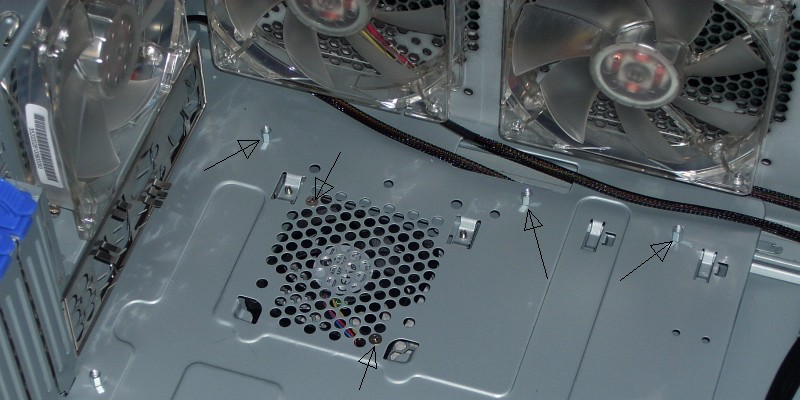
From the inside of the case, you can see the underside cooling fan and that’s exactly where the CPU will be located.
Note the arrows showing the two mount screws for this cooling fan.
Note also the other arrows noting the steel mounting “standoffs” for the motherboard. This is unusual but this steel units last much longer and resist stripping nicely over the years...
You can also see the close proximity of the double ball bearing, evacuation fans here...
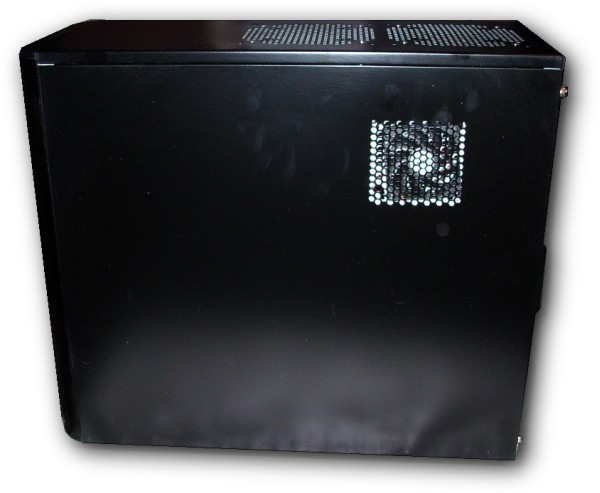
With the side cover on, you can now see the CPU underside fan more clearly with the help of my flash illuminating it. Normally you won’t see or hear this fan especially since it will be in the downside position due to the expected orientation of the system.
Sorry about the finger prints, those will get removed during post production packing for shipment...
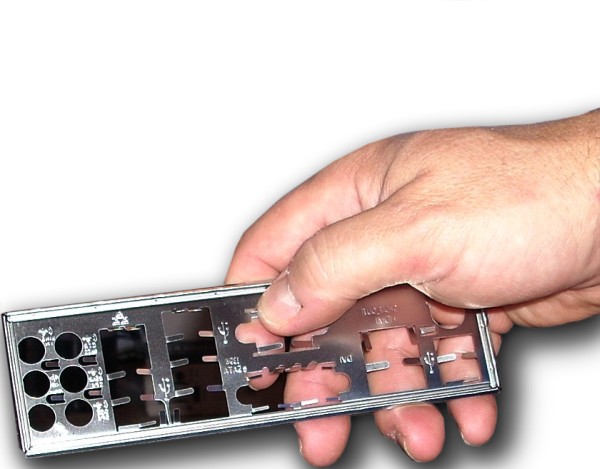
Here’s an interesting aspect of assembly not commonly talked about.
The motherboard port back plate is actually an anti-static discharge solution.
Those funny little spring loaded fingers all over this plate are designed to touch the edges of the ports which are grounded once the motherboard is mounted in the case.
Thing is usually these are so erect that properly mounting the motherboard without bowing the plate out is a bit tricky so what we do about that is lightly push each finger down a little so as to allow grounding but still also allow proper mounting. This has to be done carefully... Not to much, Not to little...
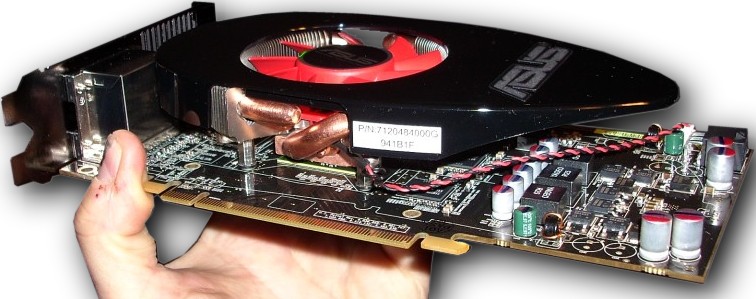
Here’s our lovely Asus EAH5770 Video Controller.
I’m glad we waited a little because these definitely run cooler then the full cowling versions first released.
This controller also sports the largest diameter Heatpipes we’ve ever seen, they are huge! We Like!
The funny egg shaped cover is odd but does a good job of focusing fanned air appropriately. We noted excellent temperatures throughout our testing with this controller!
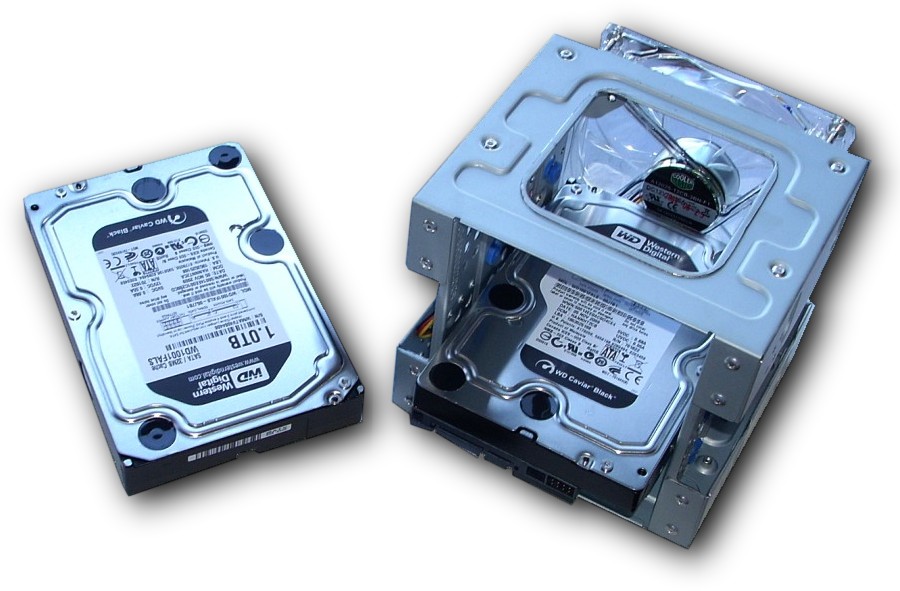
Our substantial but also low cost storage system consists of two 1TB (terabyte = 1000 gigabytes) Western Digital “Black” series Hard Drives.
These are File Server grade, meaning that they are tough and very fast, pretty cool running as well.
One drive is mounted in shock pads (little blue grommets) in the drive mount which has it’s own fan.
The other drive in this scenario will be mounted in an external aluminum drive housing, connected via USB 2.0. The reason for this is to take advantage of the most excellent Free Disk Imaging solution as well as Windows 7’s backup routine which both provide complete system restore ability via different means.
While this system can easily house another Hard Drive, that can be added later. The external drive is also nice because of the “GoodSync64” backup routine which will keep EEK system constently backed up without any impact to the system.
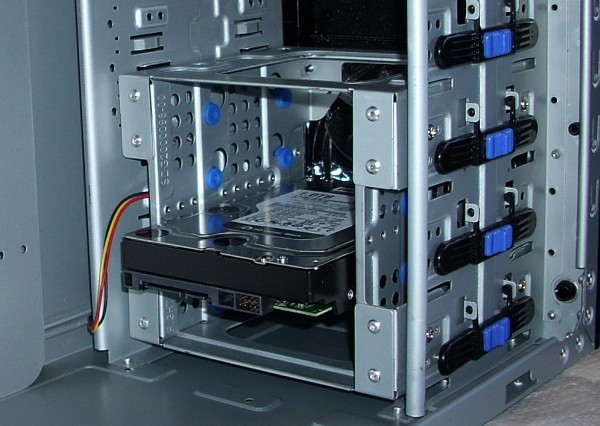
Drive mounting cage slides into the 590 case pretty easy. Though one of the drawbacks to this particular case is the drive orientation which faces into the interior of the case rather then the more preferable orientation facing out of the case.
The mounting cage is actually designed to hole 4 hard drives pretty closely packed. I suggest that we have no more then 2 hard drives to allow excellent air flow over the drive surfaces.
The cage is only fastened on one side to allow easier removal when needed. I do use 4 screws to fasten so the cage feels Very solidly mounted in the case.
The funny little black and blue locks are for those who want the drives loose for easy removal but I find these to be way too flimsy so they are there just for looks and no function...
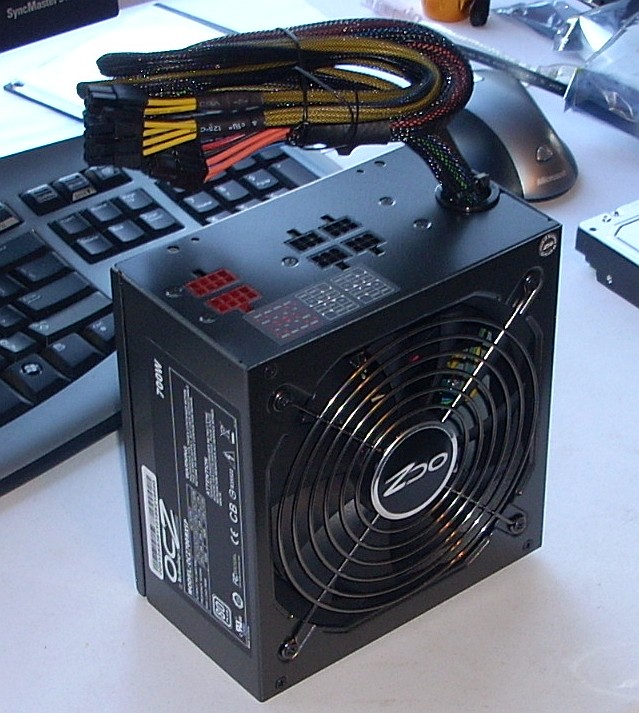
Our wonderful OCZ 700watt PSU designed by Power PC & Cooling here in America is probably the best low cost PSU’s being 82+ or better efficiency and having all the internal components of the 300% more expensive, American made unit. The only real difference is that these are made in Taiwan, in volume.
Besides the nice 3 year warranty, we like these because of they’re modular design which allows you to only plug in power leads that are required for the system, allowing for a less cluttered interior.
This PSU is designed for 2 SLI or CrossFireX video cards with single GPUs only or a single Dual GPU based controller such as the amazing (both cost & performance) ATI 5970.
Additionally this PSU is substantial enough to power many USB devices, up to 4 huge hard drives, 4 optical drives and lots of fans which we have installed!
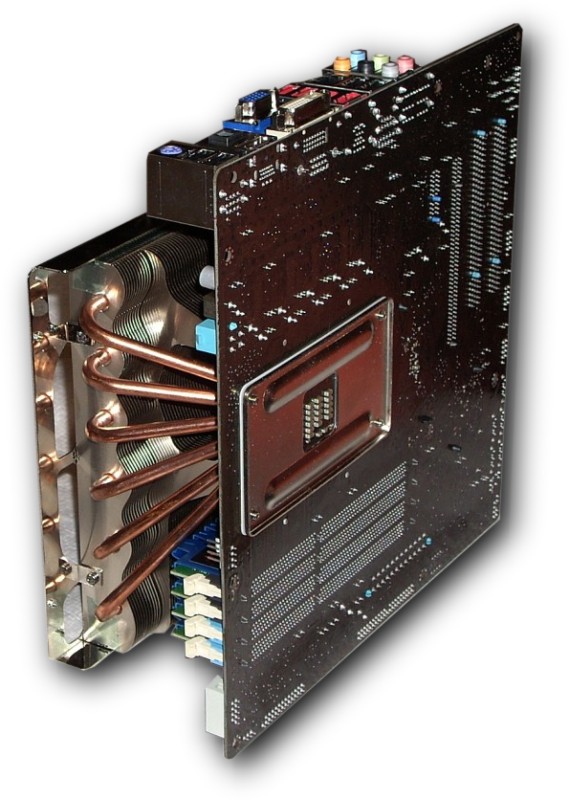
This is the underside of the EEK assembled core. As you can see here the CPU back plate, fully secured has very little bow even under pressure. The white material between the back plate and the motherboard is a non-conductive pad to gently secure the back plate in place.
Note the circuitry in the center of the back plate. This is directly under the CPU and is a very hot spot, one that normally does not get much if any cooling. This leads us to the reason for the underside fan noted below.
Here you can see how the height of the CoolerMaster Gemini II clears the 4 Patriot “RipJaw” DDR3 1600 memory DIMMs.
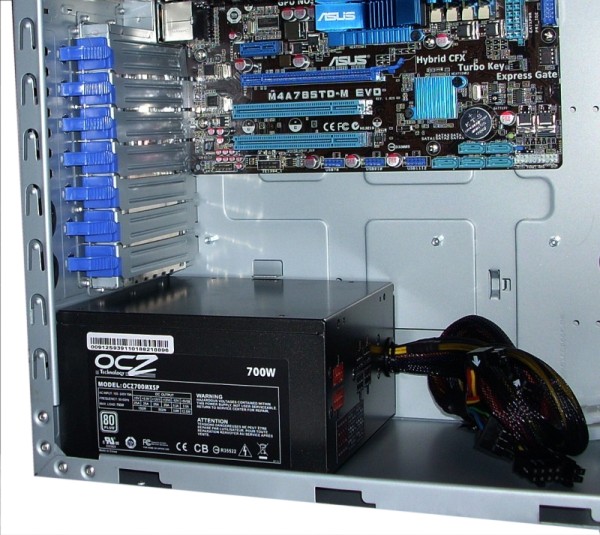
Here’s the OCZ ModXtreme 700watt PSU mounted in case.
The cooling for this PSU is on the underside where the case is vented to allow the PSU to breathe.
The CoolerMaster Centurion 590 mounts the PSU at the bottom rear instead of at the top rear like most cases. The main things that is so nice about this is the exceptional breathing now possible at the top, allowing us use our CoolerMaster Gemeni II in a passively cooled arrangement.
The thing is, getting great ventilation in a case requires does require some serious fan array design anyway. The Centurion 590 simply allows us to have fewer fans while still having best case ventilation.
A small additional perk here is also that the PSU gets cool air from the outside instead of slightly warm air from the inside of the case like on most other case designs.
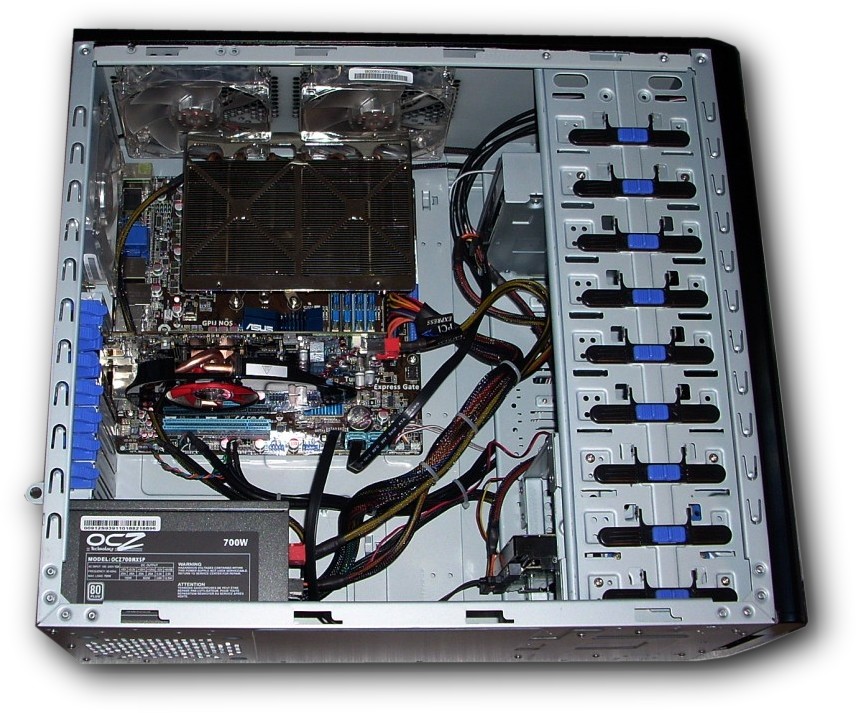
Here’s the mostly finished assembly with core, video, drives, PSU and fans all mounted.
While the cabling looks a bit cluttered, it in fact is not, rather it’s routed in such a way as to allow easy access, good air flow through and gentle transitions for cabling.
Most do not know that SATA cables, as an example must NOT be bent to much let alone folded. Premium SATA cables such as these I am using in the EEK workstation use high tension copper wire that has very little resistance but is also easily damaged by folding.
When the side cover is attached with it’s two 120mm double Ball Bearing fans, air blows down significantly onto core chipset, video controller & CPU producing very nice temperatures even at full throttle!